You can now open and read your digital books instantly using the Snapplify Web Reader, no app installations or downloads required. Our Web Reader functionality ensures you can access your digital library books instantly from any device. Please note that a book in an EPUB format will not open in the browser.
What Is the Web Reader?
The Web Reader is a feature that allows you to start reading your books immediately through your internet browser. It's the perfect solution for a quick reference or for reading on a shared computer where you cannot install the Snapplify app.
Before you start: You must be signed in with your Snapplify account and connected to a stable internet connection.
Two ways to Open ebooks in Your Browser
You can launch your book from two convenient locations.
1. From the Engage Platform:
Go to the My Reading section. Find the book, click on the green Read button to read the book, see screenshot below.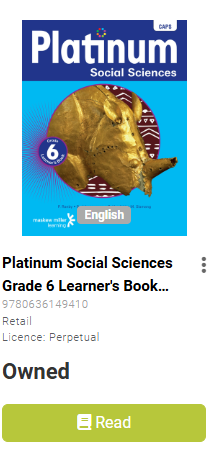
2. From your Account Library:
Visit accounts.snapplify.com, select the My Books tab, and simply click on the cover of the book you want to read. On the next page the book will display where you can select Open in Browser or Open in Reader.
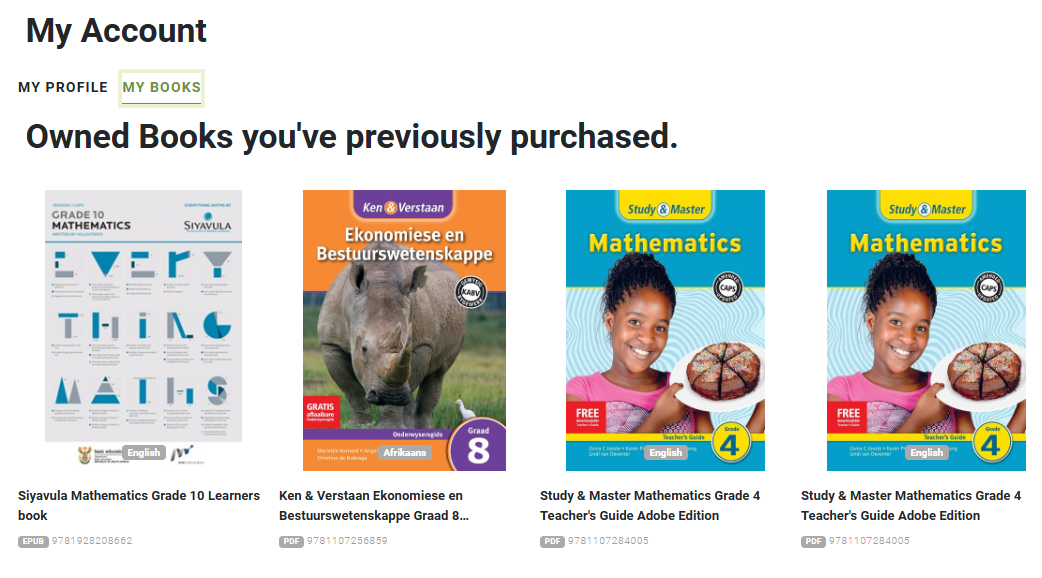
Helpful Tips for a Better Experience
Tips | Details |
| Browser Support | Currently the Web Reader is optimised for books in PDF format only. For the best experience with EPUB books, please continue using the Snapplify Reader App. |
| First-Time Loading May Be Slow | The very first time you open a large book online, it may take up to 30 seconds to prepare the pages and load. After this, the book will load much faster. |
| Reading Offline | If you are travelling or have an unstable connection, we recommend using the Snapplify Reader App, which allows you to download your books and read them without the internet. |
Understanding Your Reading Options
When you select a book, the system checks if the format is web compatible to provide you with the best reading experience:
| Scenario | What You’ll See |
|---|---|
| Web-Compatible Books | You will see a choice to either Read in Browser or Open in the Snapplify Reader App. Choosing the browser option opens the book instantly in a new tab.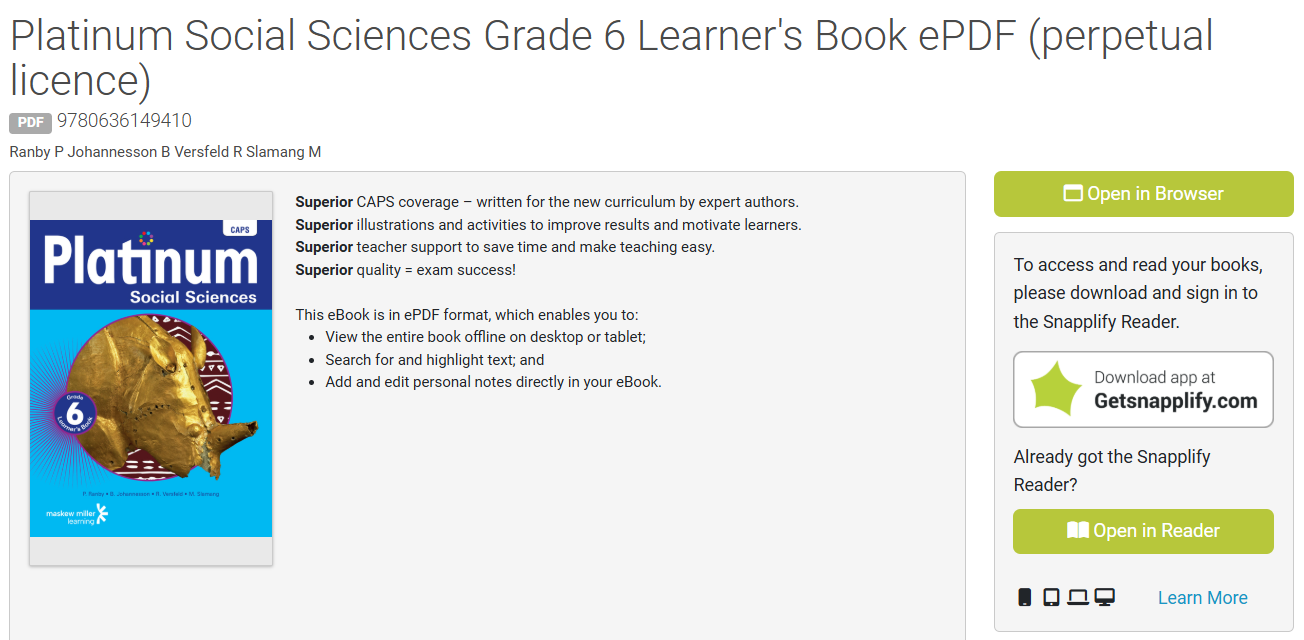 |
| Snapplify Reader App-Optimised Books | For some books (specifically those in EPUB format). You'll be prompted to open these books in the Snapplify Reader app.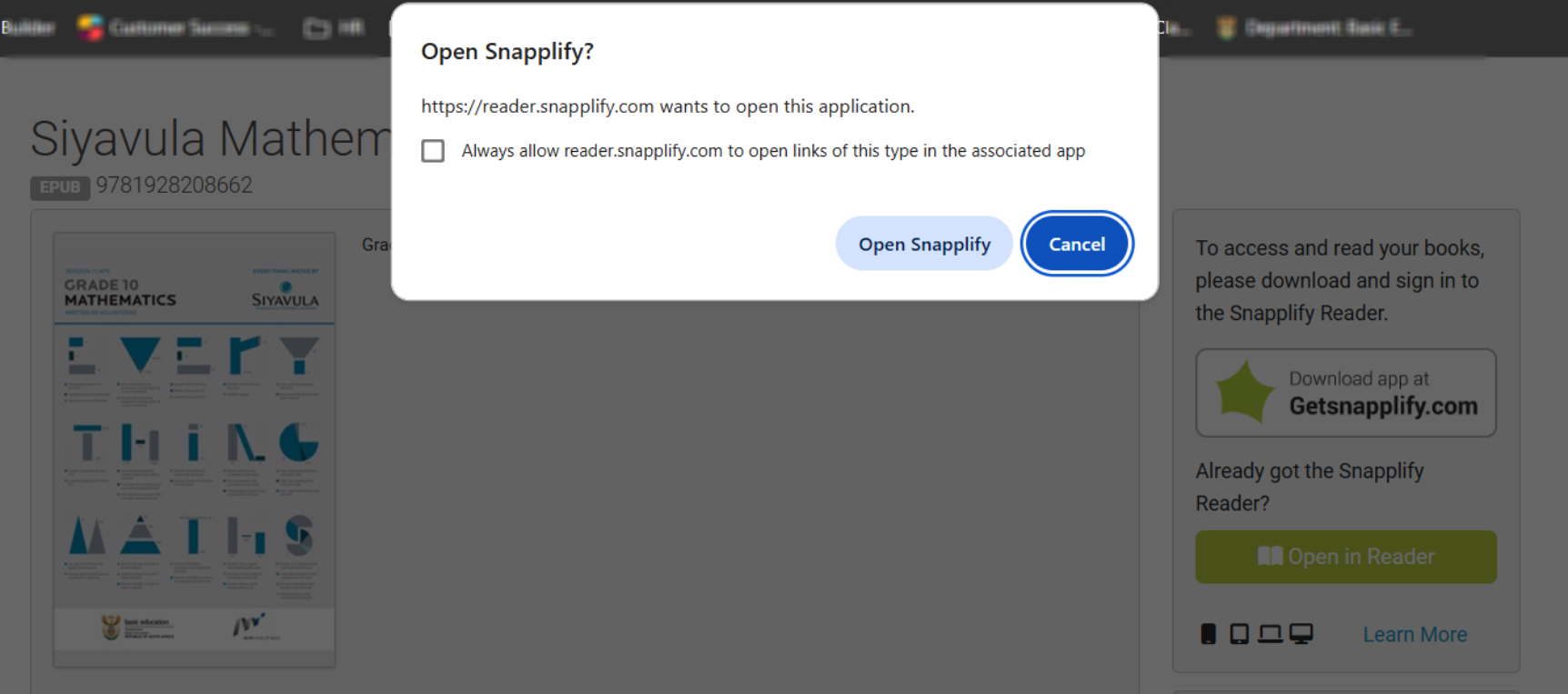 |
Need help? Use the live chat in the bottom right corner of the screen, email us at help@snapplify.com or reach out via Whatsapp +27 60 011 8065.


